1
Swipe online
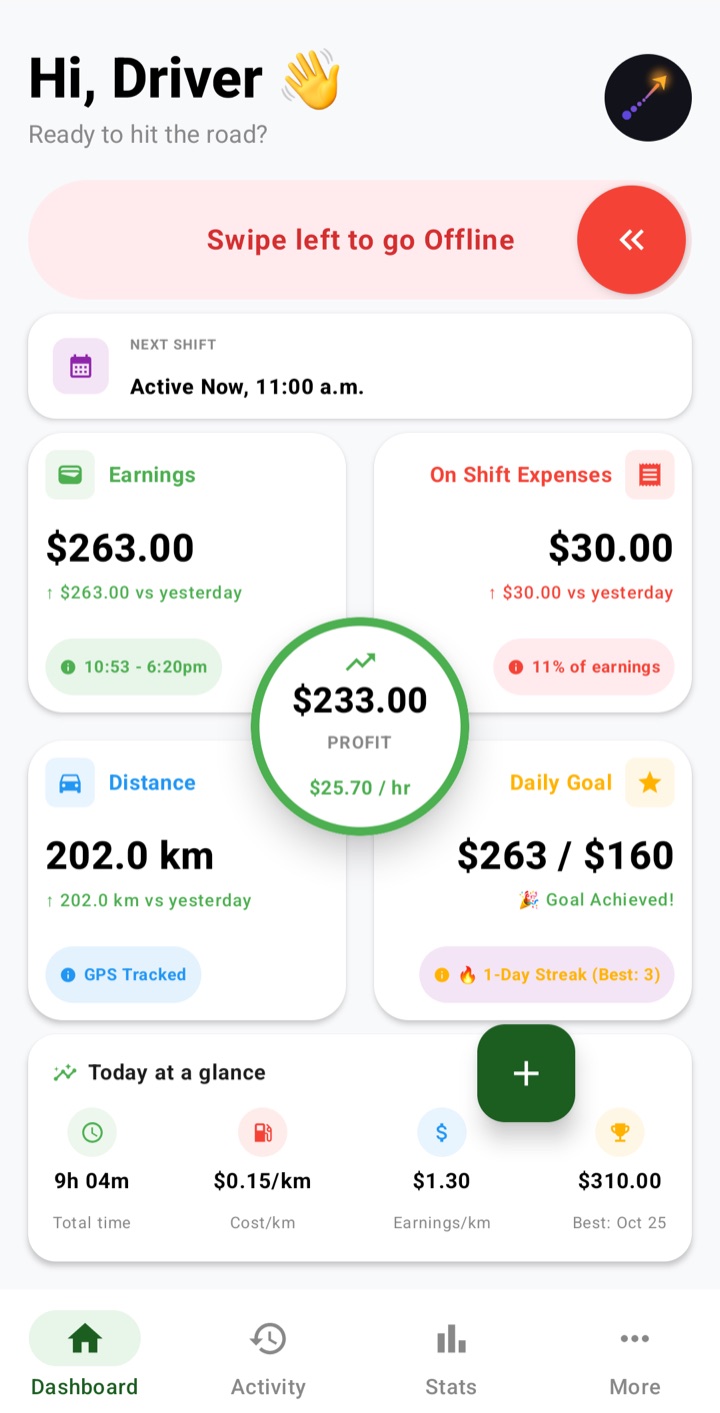
Start your shift with one swipe. While you're online, the distance counts as gig driving. Swipe offline and the rest of your day stays personal.
Earnings, expenses, mileage and an estimated tax set-aside in one app. Go online and ApexOdo counts it as gig driving—no trip sorting. Your mileage is checked against your real odometer, and every record is stored on your phone, never on our servers.
No bank links, no account to sync and no list of trips to sort at the end of the week.
Start your shift with one swipe. While you're online, the distance counts as gig driving. Swipe offline and the rest of your day stays personal.
Enter what each platform paid and what you spent—gas, meals, maintenance. Uber, Lyft, DoorDash, Skip, Instacart and any platform you add sit side by side.
A few readings a year are enough for your yearly report. For monthly and quarterly reports, add one at each month end: the last 2 days of the month or the 1st.
GPS alone can drift. ApexOdo compares your tracked kilometres with your odometer readings and keeps a record of every change.
When you enter a reading, ApexOdo checks that your odometer covers the kilometres you drove online. If GPS counted slightly more, it asks you first, then lowers the tracked kilometres to match. Your reading is saved exactly as you typed it.
ApexOdo only tracks while you're online, so there is no list of drives to sort into business or personal later.
In early January you enter your odometer from the end of Dec 31. You can change it until Jan 9; on Jan 10 it locks and that year's reports are released. Missed it? Until the end of February you can still add it once.
The Ledger lists every add, edit and delete of earnings, expenses and day kilometres, with the old and new values. Changing cars mid-year is handled too.
Revenue tells only half the story. ApexOdo is designed around the details that shape a driver’s real result: the time, physical odometer continuity and costs behind every dollar.
Swipe online, set a schedule and keep earnings, on-shift expenses, distance and daily goals visible around your central profit ring.
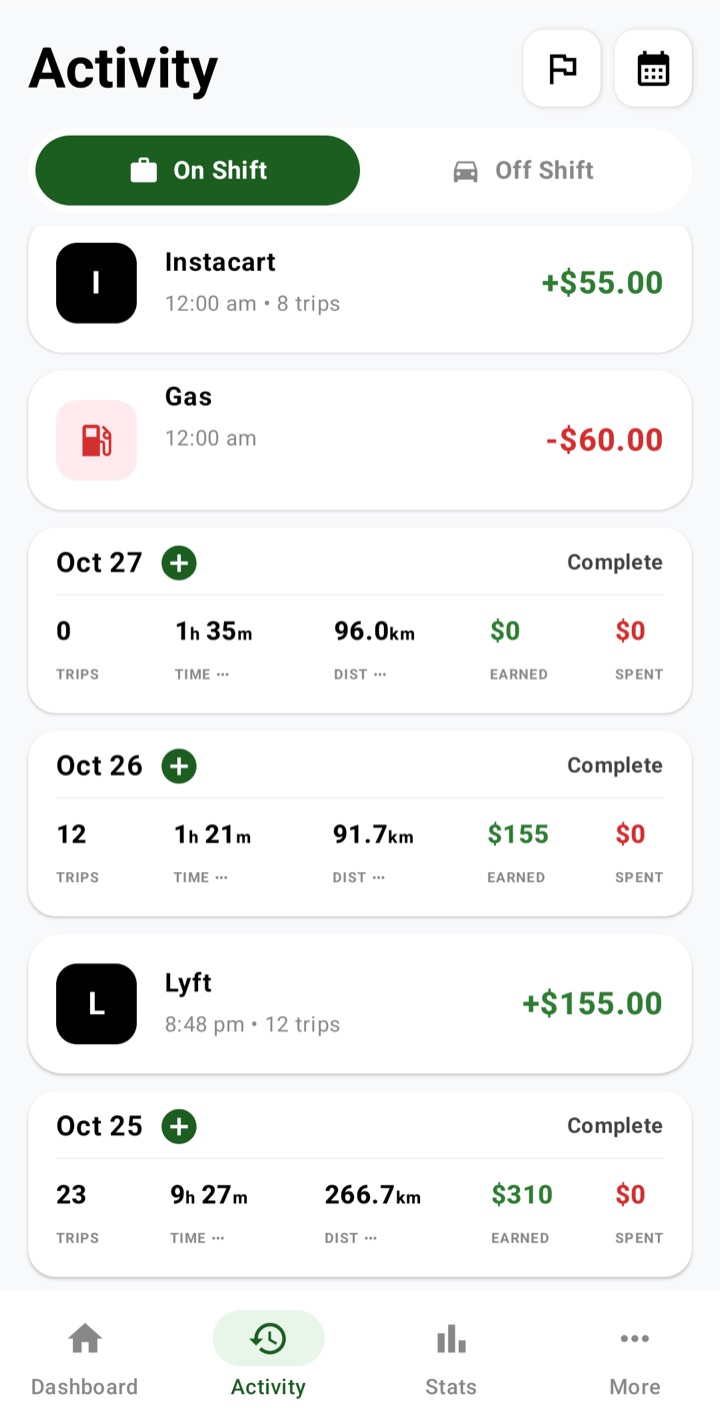
Log gas, meals and other costs during a shift next to the earnings they belong to, and keep car costs such as insurance and maintenance in the off-shift view.
Review trips, hours, net profit and margin for month-to-date or year-to-date, and check your rates against your own targets. Smart insights and Compare come with Pro.
Back up by hand or weekly to any folder you choose, on the phone or in the cloud. Save a CSV ledger any time, and PDF reports with Pro.
Choose a screen to see how ApexOdo turns day-to-day activity into useful, readable information.
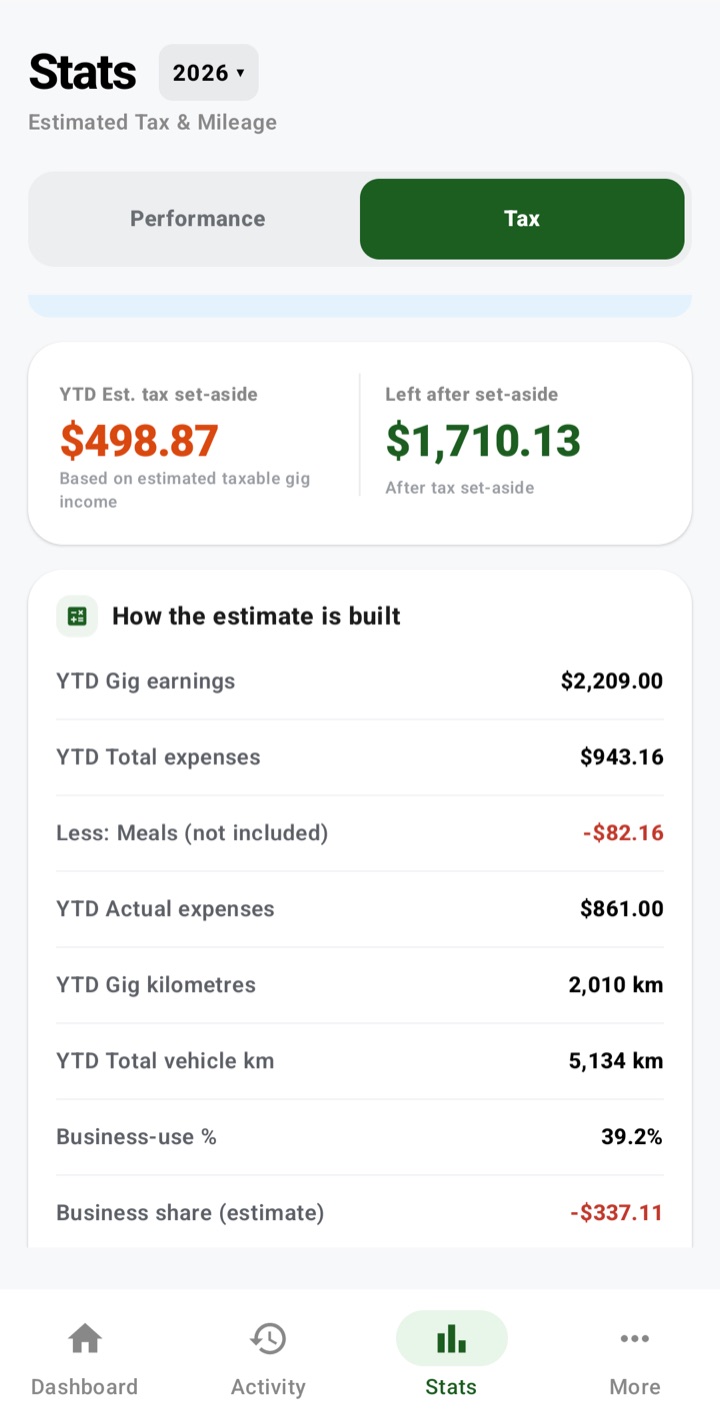
ApexOdo connects gig earnings, expenses and odometer-checked business kilometres to an estimated set-aside, using a tax rate you choose (it starts at 20%). You see what's left after the set-aside before tax season arrives.
Tax figures in ApexOdo are estimates to help you plan. They are not tax or legal advice. Talk to a tax professional about your situation.
No servers to pay for and no data to sell. Every new user gets 6 months of Pro free, with no card needed. When it ends, Pro features lock and nothing is deleted.
or $39.99 / year, or $129.99 once
Prices in Canadian dollars. Google Play shows the final price before you pay. The one-time price is Lifetime Pro: pay once and keep Pro for as long as ApexOdo is offered and runs on your phone, under the same Google account. See our Terms.
Still unsure? Email info@apexodo.ca.
Not by ApexOdo. We have no accounts and no servers, so we never receive your records. Everything stays on your phone unless you choose to export a report, email support, or save backups (including Auto Backup) to a cloud folder such as Google Drive; that service then handles the file under its own privacy policy.
Turn on Auto Backup and ApexOdo saves a backup to a folder you pick, such as a Google Drive folder on your phone. On your new phone, install ApexOdo and restore that file.
Yes. Add each platform you use—Uber, Lyft, DoorDash, Skip, Instacart and others—and compare them side by side.
No. A few readings a year are enough for your yearly report. If you want monthly or quarterly statements, add a reading at each month end (the last 2 days of the month or the 1st). You can turn on a reminder for it.
GPS uses some battery, so ApexOdo only runs it while you're online, and checks less often while you're stopped. When you're offline, ApexOdo doesn't track your location at all.
No. ApexOdo gives estimates based only on what you record, to help you plan. Final tax treatment may differ. Talk to a tax professional about your situation.
Drive the shift. Log the reality. See the difference.
We're looking for Canadian gig drivers to test the app on Android before it launches on Google Play.